WordPress Designs with Bookings and Rentals
- Description
- Curriculum
- Reviews
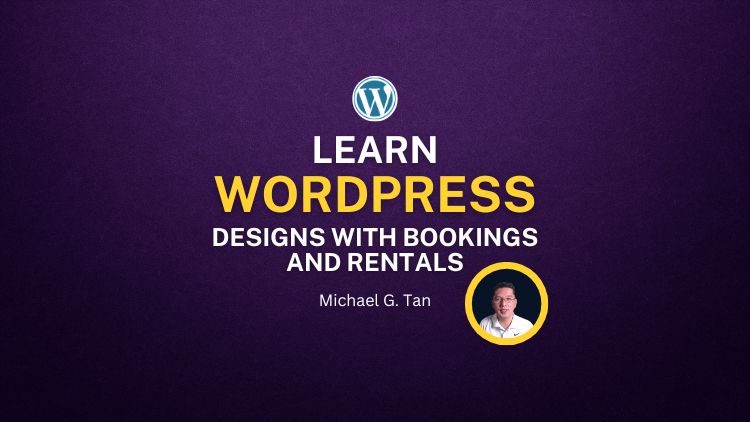
Unlock your potential to design stunning websites without spending a dime on premium tools! In “WordPress Designs with Bookings and Rentals” you’ll learn how to build beautiful, functional websites from scratch using WordPress and the free version of Elementor—all on your local computer using XAMPP.
This course is perfect for beginners and those looking to expand their web development skills. You’ll start with the basics of setting up WordPress locally and move on to creating fully customized pages using Elementor. We’ll also dive into the WooCommerce plugin, empowering you to build an online store to sell products, bookings, and rentals, and cover the essentials of creating engaging blog posts.
What You’ll Learn:
-
How to set up WordPress locally using XAMPP.
-
The fundamentals of WordPress and Elementor.
-
Step-by-step guidance on creating custom web pages with the free Elementor plugin.
-
How to install and configure the WooCommerce plugin to sell products online.
-
Techniques for crafting compelling blog posts to engage your audience.
Who This Course is For:
-
Beginners with no prior experience in web development or WordPress.
-
Entrepreneurs looking to create their own website without hiring a developer.
-
Freelancers wanting to expand their skill set with WordPress and Elementor.
-
Bloggers and small business owners aiming to enhance their online presence.
By the end of this course, you’ll have the skills and confidence to create professional-quality websites, complete with eCommerce functionality, all without spending money on premium plugins or themes.
Enroll now and start building your dream website today!
What you’ll learn
- Learn How to Create a Website using Free WordPress
- Learn How to Install WordPress Locally (Without Paid Web Hosting and Domain)
- Learn to Create Customized Websites using Free Plugin Elementor
- Learn How to Build an E-Commerce Store with Full Functionality
- Learn How to Master Your Way to Become a WordPress Developer
Are there any course requirements or prerequisites?
- Having Basic Knowledge in WordPress is Preferred
- No Prior Knowledge in WordPress is Welcome
- A Laptop or Desktop is Necessary for Projects
- Internet Connection is Required
- Additional Research on WordPress Basics is Recommended
Who this course is for:
- This Course is for Beginners with Basic or No Knowledge of WordPress
- For those who like to enhance their skills in designing websites using WordPress
- For those who like to become a WordPress Developer
- For those who want to establish their business online using WordPress Online Store
- For those who want to become a Freelance WordPress Developer
Enroll and become a WordPress Professional Developer Today!
-
1Rank 1A - Introduction to the CoursePreview 4:28
-
2Rank 1B - What are the Benefits of Taking the Course4:43This lesson is locked because you haven't completed the previous one yet. Finish the previous lesson to unlock this one.
-
3Rank 1C - What to Prepare before You Begin the Course5:20This lesson is locked because you haven't completed the previous one yet. Finish the previous lesson to unlock this one.
-
4Rank 1D - How to Install the Latest XAMPP17:17This lesson is locked because you haven't completed the previous one yet. Finish the previous lesson to unlock this one.
-
5Rank 2A - How to Use XAMPP13:19This lesson is locked because you haven't completed the previous one yet. Finish the previous lesson to unlock this one.
-
6Rank 2B - How to Download and Install LocalWP9:12This lesson is locked because you haven't completed the previous one yet. Finish the previous lesson to unlock this one.
-
7Rank 2C - How to Download and Install Wordpress on your Computer30:10This lesson is locked because you haven't completed the previous one yet. Finish the previous lesson to unlock this one.
-
8Rank 2D - Install the Theme and the Elementor Plugin (Free Version)13:27This lesson is locked because you haven't completed the previous one yet. Finish the previous lesson to unlock this one.
-
9Rank 3A - Setting the Home Page12:13This lesson is locked because you haven't completed the previous one yet. Finish the previous lesson to unlock this one.
-
10Rank 3B - Flexbox in Elementor13:33This lesson is locked because you haven't completed the previous one yet. Finish the previous lesson to unlock this one.
-
11Rank 3C - Grid Layout in Elementor17:51This lesson is locked because you haven't completed the previous one yet. Finish the previous lesson to unlock this one.
-
12Rank 3D - Uploading Media Files11:22This lesson is locked because you haven't completed the previous one yet. Finish the previous lesson to unlock this one.
-
13Rank 4A - Experimenting Flexbox and Grid Layout19:06This lesson is locked because you haven't completed the previous one yet. Finish the previous lesson to unlock this one.
-
14Rank 4B - Create Background and Overlay18:20This lesson is locked because you haven't completed the previous one yet. Finish the previous lesson to unlock this one.
-
15Rank 4C - Section Background Carousel12:32This lesson is locked because you haven't completed the previous one yet. Finish the previous lesson to unlock this one.
-
16Rank 5A - Let's Create the Product Section21:50This lesson is locked because you haven't completed the previous one yet. Finish the previous lesson to unlock this one.
-
17Rank 5B - Let's Create the Services Section22:27This lesson is locked because you haven't completed the previous one yet. Finish the previous lesson to unlock this one.
-
18Rank 5C - Let's Make the Video Section19:37This lesson is locked because you haven't completed the previous one yet. Finish the previous lesson to unlock this one.
-
19Rank 5C - Testimonial Section16:38This lesson is locked because you haven't completed the previous one yet. Finish the previous lesson to unlock this one.
-
20Rank 5D - Designing the Customized Footer28:28This lesson is locked because you haven't completed the previous one yet. Finish the previous lesson to unlock this one.
-
21Rank 6A - Let's Change the Header of the Website21:13This lesson is locked because you haven't completed the previous one yet. Finish the previous lesson to unlock this one.
-
22Rank 6B - Master Footer12:57This lesson is locked because you haven't completed the previous one yet. Finish the previous lesson to unlock this one.
-
23Rank 6C - Adding a New Page24:17This lesson is locked because you haven't completed the previous one yet. Finish the previous lesson to unlock this one.
-
24Rank 6D - Adding a Blog Post5:20This lesson is locked because you haven't completed the previous one yet. Finish the previous lesson to unlock this one.
-
25Rank 7A - Adding Woocommerce Plugin24:54This lesson is locked because you haven't completed the previous one yet. Finish the previous lesson to unlock this one.
-
26Rank 7B - Create Product Links20:20This lesson is locked because you haven't completed the previous one yet. Finish the previous lesson to unlock this one.
-
27Rank 7C - Create My Account Page15:18This lesson is locked because you haven't completed the previous one yet. Finish the previous lesson to unlock this one.
-
28Rank 7D - Troubleshoot Issues and Permalinks18:16This lesson is locked because you haven't completed the previous one yet. Finish the previous lesson to unlock this one.
-
29Rank 8A - Introduction to BookingsVideo lessonThis lesson is locked because you haven't completed the previous one yet. Finish the previous lesson to unlock this one.
-
30Rank 8B - Install Booking Plugin25:47This lesson is locked because you haven't completed the previous one yet. Finish the previous lesson to unlock this one.
-
31Rank 8C - Plugin Settings26:56This lesson is locked because you haven't completed the previous one yet. Finish the previous lesson to unlock this one.
-
32Giving Your Review03:31This lesson is locked because you haven't completed the previous one yet. Finish the previous lesson to unlock this one.
-
WordPress Professional Developer Career Path + OJT
₱25,000 ₱16,000
-
What is Prerequisite coursesA prerequisite is a specific course that you must complete before you can take another course at the next grade level.